


Related
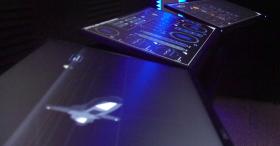
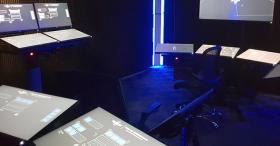
The Vessel Command, Control and Management System (VC2MS) is intended to facilitate intuitive access to relevant system information for rapid diagnosis and control input.
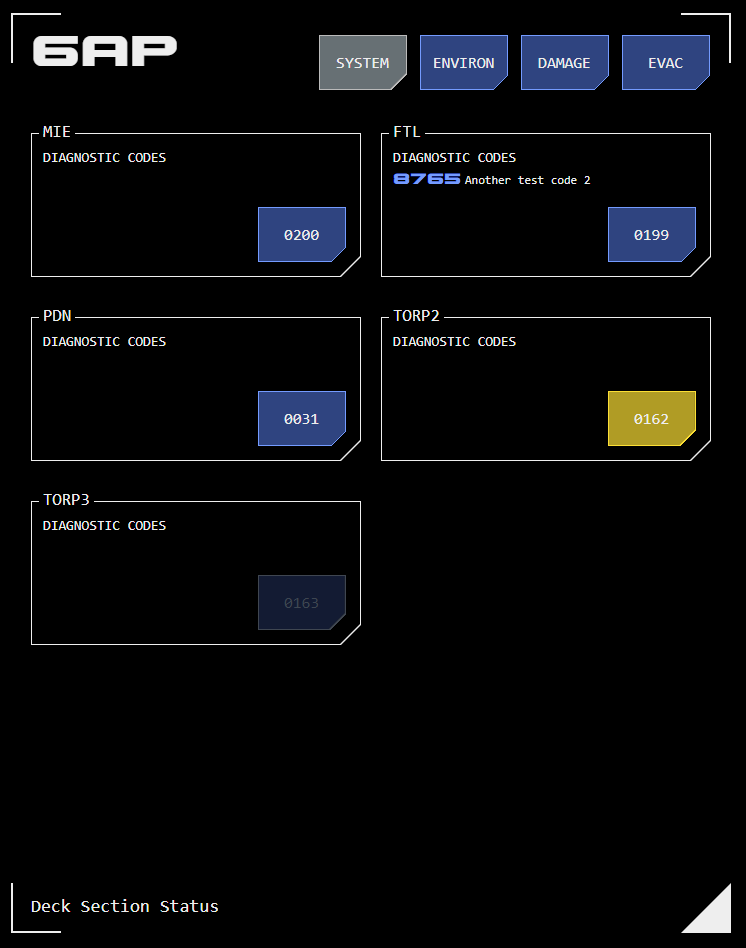
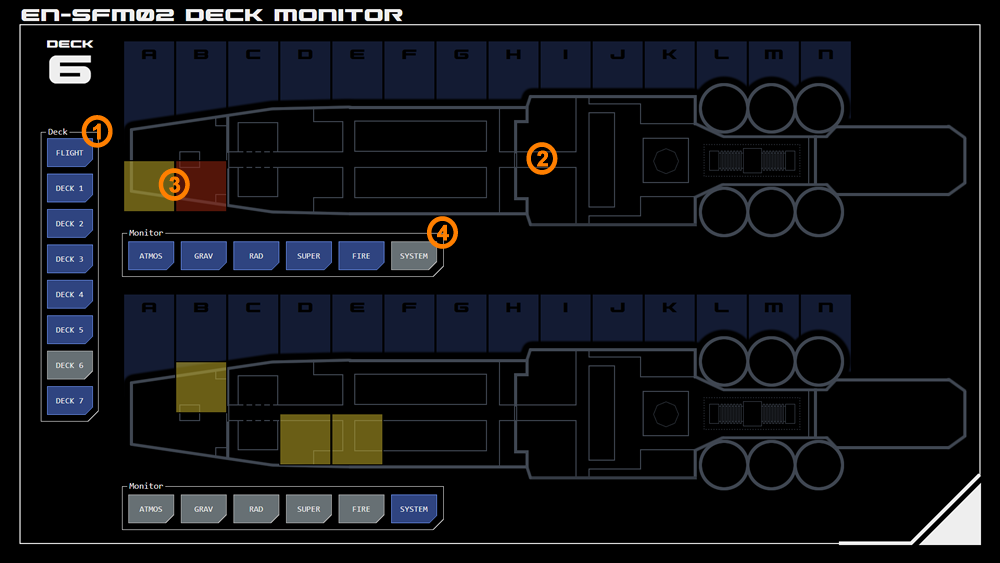 This panel displays deck-specific system and environmental indications, providing more detailed information about an indication displayed on the Master Systems panel.
It shows a schematic plan of the selected deck over which are overlaid alert or alarm conditions for each section. Tapping a section opens an overlay with additional detail.
The panel also incorporates control and command interfaces for damage control, fire fighting and evacuation management.
1. Deck Selection
The deck which is to be monitored is selected from these buttons.
2. Deck Monitor
Two instances of the deck plan are displayed so that different datapoints can be focused using filters (see below). By default the top monitor displays indications from PDN nodes and systems, while the bottom monitor displays environmental indications.
Deck sections are indicated along the top of the monitor, split between port and starboard sections.
Any section can be tapped for more information. If system monitoring is active on the tapped monitor the system details overlay for that section will display by default, otherwise the environmental details overlay will display by default.
3. Status Indications
If a monitored datapoint within a section has an alert or alarm status it is indicated as a semi-transparent overly in that section.
Alert indications are gold.
Alarm indications are red.
4. Datapoint Monitor Selection
Datapoints can be filtered on each deck monitor instance. Tapping a datapoint toggles it between monitored (selected (grey) state) or non-monitored (ready (blue) state).
Section Detail Overlay
Tapping a section (highlighted or not) opens an overlay with key system/PDN or environmental data.
There are two data overlays which can be toggled suing the buttons at the top of the overlay.
Systems
The systems overlay includes PDN nodes and systems, based on the physical location of the node or system on the deck.
Systems may cover multiple sections.
Tapping the system/node number button opens the PDN control interface for that node/system.
Environmental
The environmental overlay includes a number of datapoints:
Atmospheric (Atmos)
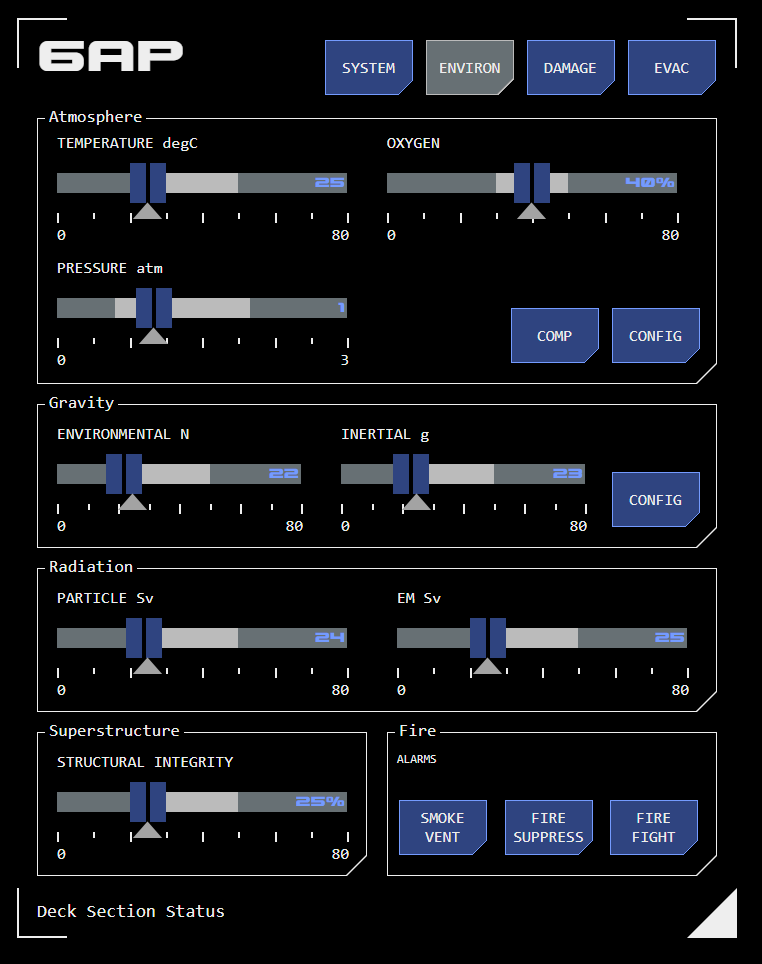
This datapoint monitors a number of atmospheric parameters in the section:
Temperature: The atmospheric (perceived) temperature, measured in degrees celsius.
Pressure: Atmospheric pressure measured in standard atmospheres (atm).
Oxygen: Measures the oxygen content as a percentage of atmospheric gases.
Gravity (Grav)
This datapoint monitors artificial gravity and associated inertial dampening within a section.
Environmental: Gravity strength as it effects normal habitation, measured in Newtowns (N).
Inertial: Measures the uncompensated effects of vessel movement over and above nominal. Normally the artificial gravity system is carefully manipulated to compensate for vessel movement, a process referred to as inertial dampening. This prevents crew being thrown around inside the ship as it changes speed or direction. Where crew experience the inertial force of vessel movement (due to a fault or overload of the inertial dampening system) this is measured as g-force (units of standard gravity).
Radiation (Rad)
This datapoint measures radiation detectable within a section.
Particulate: This measures particle-based radiation such as alpha particles (from atomic nuclei) and beta particles (electrons) in dose-equivalent sievert (Sv) units.
EM: This measures high-frequency EM radiation such as X-rays and gamma rays, which can be harmful to humans. This radiation is also measured in sieverts.
Vessel Superstructure (Super)
This datapoint measures the structural integrity of the sections superstructure as a percentage of design rating.
This datapoint also includes an alarm which indicates where the external superstructure (the hull) has breached, exposing the interior of the ship to space.
Fire
This datapoint indicates whether smoke or fire has been detected in the section. Detections are shown as simple alarms.
Buttons also indicate whether automated smoke venting and/or fire suppression systems have been activated, and provide manual overrides of those systems.